Klear app icon

macOS 14+ · Apple silicon · 14-day free trial

Klear
Your mic, minus the dog.

Removes barking dogs, kids, keyboards and room noise from your microphone in every meeting app, and transcribes calls without anything leaving your Mac.

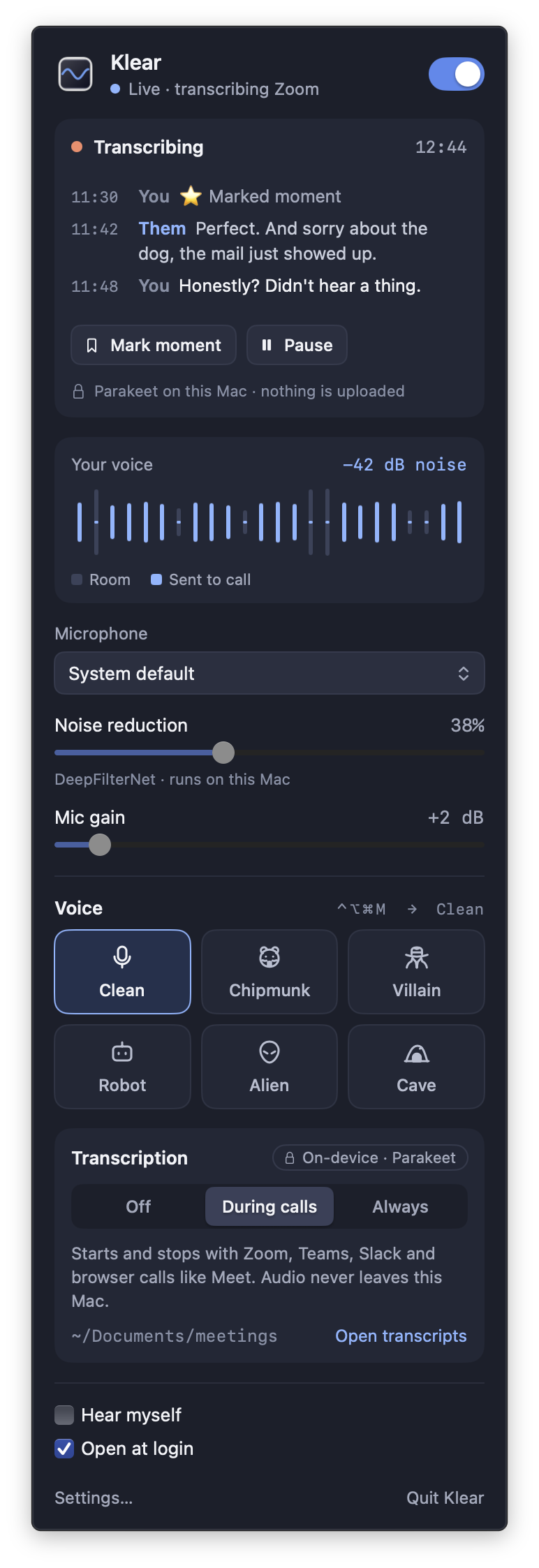
Klear's menu bar panel during a Zoom call: a live transcript, a voice meter where two loud barks in the room never reach the call, and the noise reduction, voice and transcription controls.
Grey bars are your room, blue is what the call hears. Those two tall grey spikes? A dog. The call got nothing.

Noise removal

The dog barks. Nobody hears it.

DeepFilterNet strips barking, kids, keyboards and room hum out of your voice in about 30 ms, on your Mac. Turn the strength up or down to taste.

Every meeting app

One mic for every call.

Pick “Klear Mic” as your microphone in Zoom, Teams, Slack, Google Meet, FaceTime, Discord or anything else that takes a mic.

Transcription

Both sides of the call, written down.

Klear can start transcribing when a call starts and stop when it ends: you and everyone else, saved as Markdown in a folder you choose. Speech recognition runs on your Mac. Mark a moment with one click.
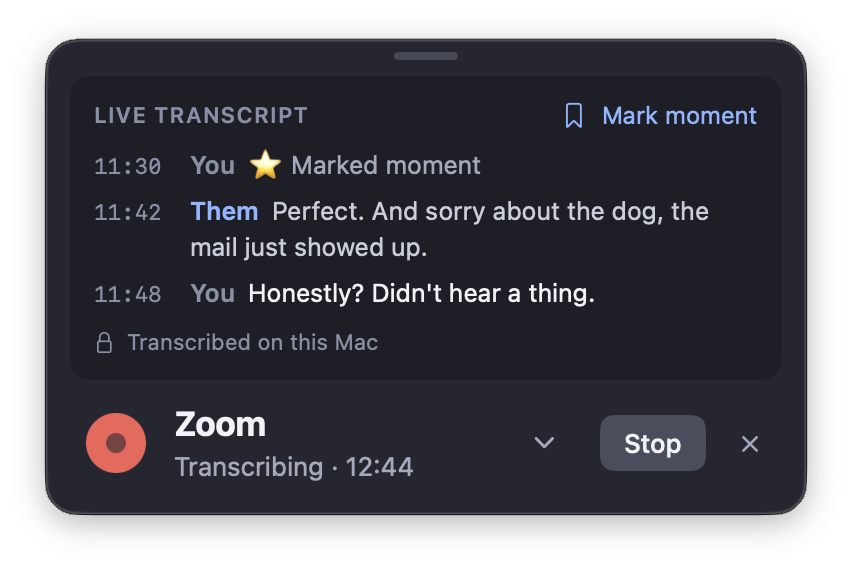
Klear’s call toast for a Zoom call, transcribing at 12 minutes, with the last lines of the live transcript.

Voice effects

Or don’t sound like you at all.

Chipmunk, Villain, Robot, Alien and Cave, with an intensity dial. ⌃⌥⌘M snaps back to your normal voice.

Private by design

Your audio stays on your Mac.

No account, no analytics, no cloud processing. Klear only goes online to check your license, look for updates and download the speech model.

Pricing

Try everything free for 14 days. Then buy it once and use it on up to three Macs.

Requirements

  • macOS 14 Sonoma or later, on a Mac with Apple silicon
  • Installing Klear Mic asks for your admin password once
  • Transcription downloads a ~500 MB speech model the first time you use it

Questions

What happens when the trial ends?
Klear Mic keeps carrying your voice, so you’re never muted mid-meeting. Noise removal, voice effects and transcription switch off until you buy Klear or enter a license key.
How many Macs can I use it on?
Up to three. To move to a new Mac, deactivate the old one in Klear → Settings → License, or from your purchase page.
Does it work on Intel Macs?
No. Klear needs a Mac with Apple silicon running macOS 14 Sonoma or later.
Do I need to tell people I’m transcribing?
Yes. Some places require everyone on a call to agree to it being transcribed, so tell people before you start.